How does it work?
Place an order on the Caria platform with rotation instructions and destinations
Receive the Caria confirmation email
Forward the email to auto.campaigns@cape.io
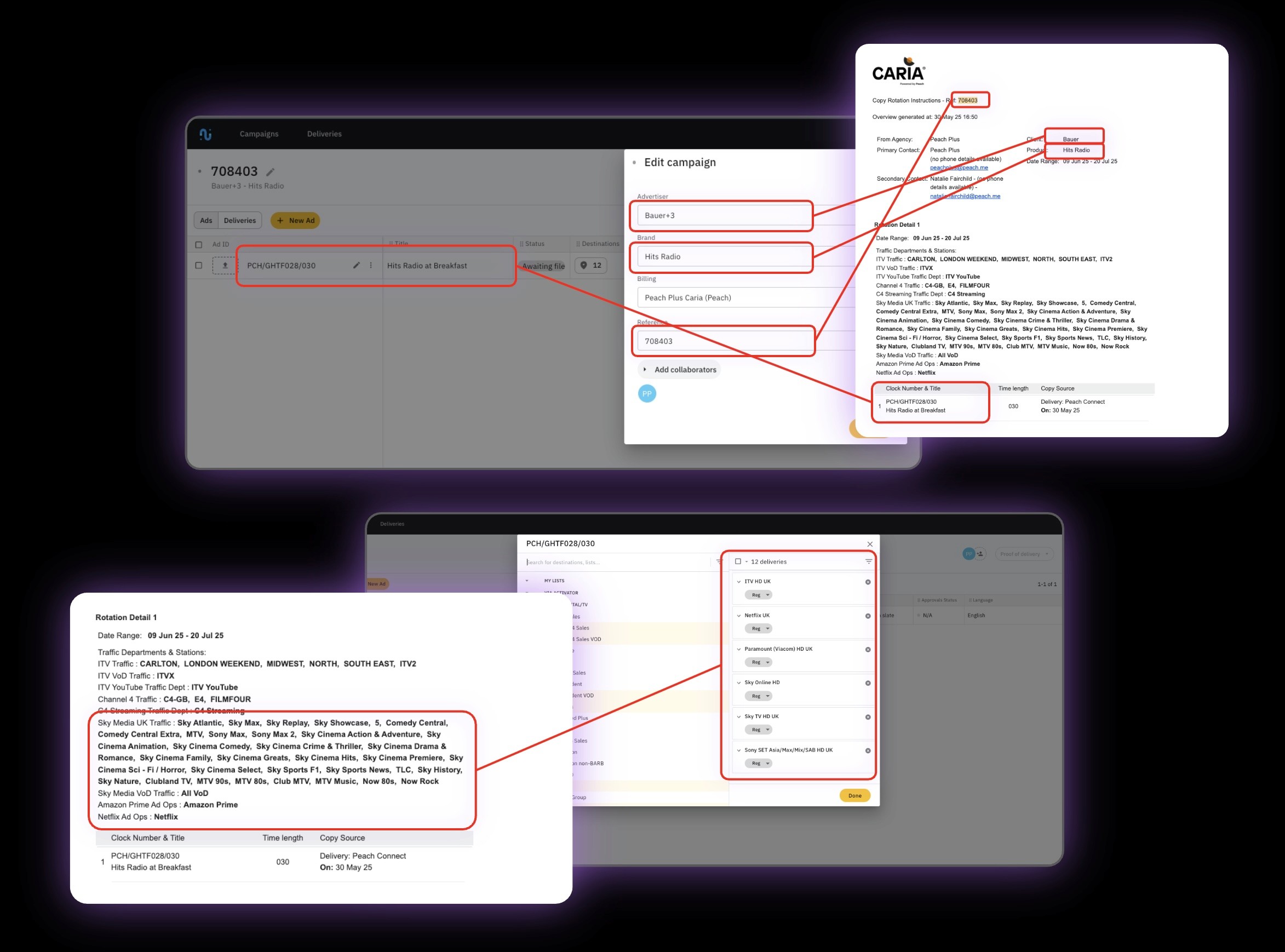
Our AI and automation tools extract key information
Cape Advanced TV creates the campaign, including agency, advertiser, product, clock numbers, destinations, etc.
All you need to do is finalise your campaign and hit Send
Get started
Receive the Caria confirmation email
Contact your account manager or email account.management@cape.io to set up your workflow
Once your account is configured, send your first CRI email to auto.campaigns@cape.io for testing. Allow 12 hours for this.
Once we’ve checked that everything works correctly, simply log in to your Cape Advanced TV account to find your order ready and waiting!
From then on, you can trigger the automatic campaign generation workflow by forwarding each CRI email to auto.campaigns@cape.io
70% faster
Save on average around 30 minutes per campaign