/

/

Everything in the right place

Everything in the right place

New! Cape.io has just launched a major new feature designed to help creative agencies, post-houses and advertisers work better with media agencies. Find out how it works.

Asset library screens showing ad files sorted per channel, on keeping every campaign file in the right place

This was originally posted on the Peach website. Find out more about the rebrand from Peach to Cape.io.

Digital teams at media agencies need to easily source video ads and then activate them on a wide range of digital platforms. To simplify this for everyone involved, we’ve added ‘Activators’, a new type of user designed for media agencies plus new special digital destinations.

For creative agencies and post-houses your work will be much more simpler. Use one video file for a range of digital and destinations, and Cape Advanced TV will make sure that it will be the right format, right quality and right aspect ratio.

For media agencies sourcing the right files they need to activate campaigns is now simple.

  • ⏱️ Campaigns start on time: ad activation happens faster

  • 🗯️ Goodbye to communication chaos: less back and forth between agencies and everything in one place

  • 🔍 No more hunt the spec: upload just one master file for each aspect ratio, pick your destinations and job done

  • 💤 Relax: know that the video optimised for Facebook is the one that will play on Facebook

  • 👀 Complete visibility: no more blind spots — know exactly where the assets are and what the next steps are

A guide for creative agencies and post-houses

Using Cape Advanced TV

To work with Activators in Cape Advanced TV:

  1. In the Collaborators section add an organisation as an Activator field — typically a media agency

  2. There is a new list of Destinations headlined ‘Via Activators’ including digital destinations including YouTube, Facebook, Twitter, Flashtalking, Teads, Google Campaign Manager, TikTok, 10 play and many more.

  3. When choosing Destinations when editing an Ad Complete your Order as usual and then commit the campaign

That’s it! Once files are uploaded and processed, media agencies will have access to files in the right format, quality and aspect ratio for the platforms they need. They can then easily download and use to activate campaigns on the relevant platforms.

A guide for digital teams at media agencies

Once your account in Peach has been set up (contact us if you need help), it’s simple. Just log-in and:

  1. You’ll see a list of Campaigns that you as an Activator have been added to

  2. Head into a Campaign and you will see a list of files organised by Destination (such as YouTube, Twitter, Flashtalking, Teads, Google Campaign Manager, TikTok, 10 play and many more)

  3. Click on a file to download a video formatted for your Destination

From there you can use these files to activate campaigns in the relevant digital platforms.

It’s that simple.

Want to know more about the new Activators features? Contact us or read more about the details, plus some frequently asked questions…

Read more about how to bring the benefits of Cape.io to media agencies…

Digital out-of-home screen showing a pink NEW HOT ad, illustrating programmatic DOOH creative

Aug 17, 2026

How to scale programmatic DOOH creative: solving the format bottleneck

DOOH offers brands huge creative potential, from hyper-local messaging to dynamic campaigns triggered by weather, time, and location. But bringing that potential to life means producing an enormous number of creative variations across a fragmented landscape of screen sizes and formats.

Campaign Analytics dashboard in Cape.io showing impressions, clicks, click rate and cost per click

Aug 3, 2026

Closing the loop: Introducing Campaign Analytics in Cape.io

Campaign Analytics is now live in Cape.io.

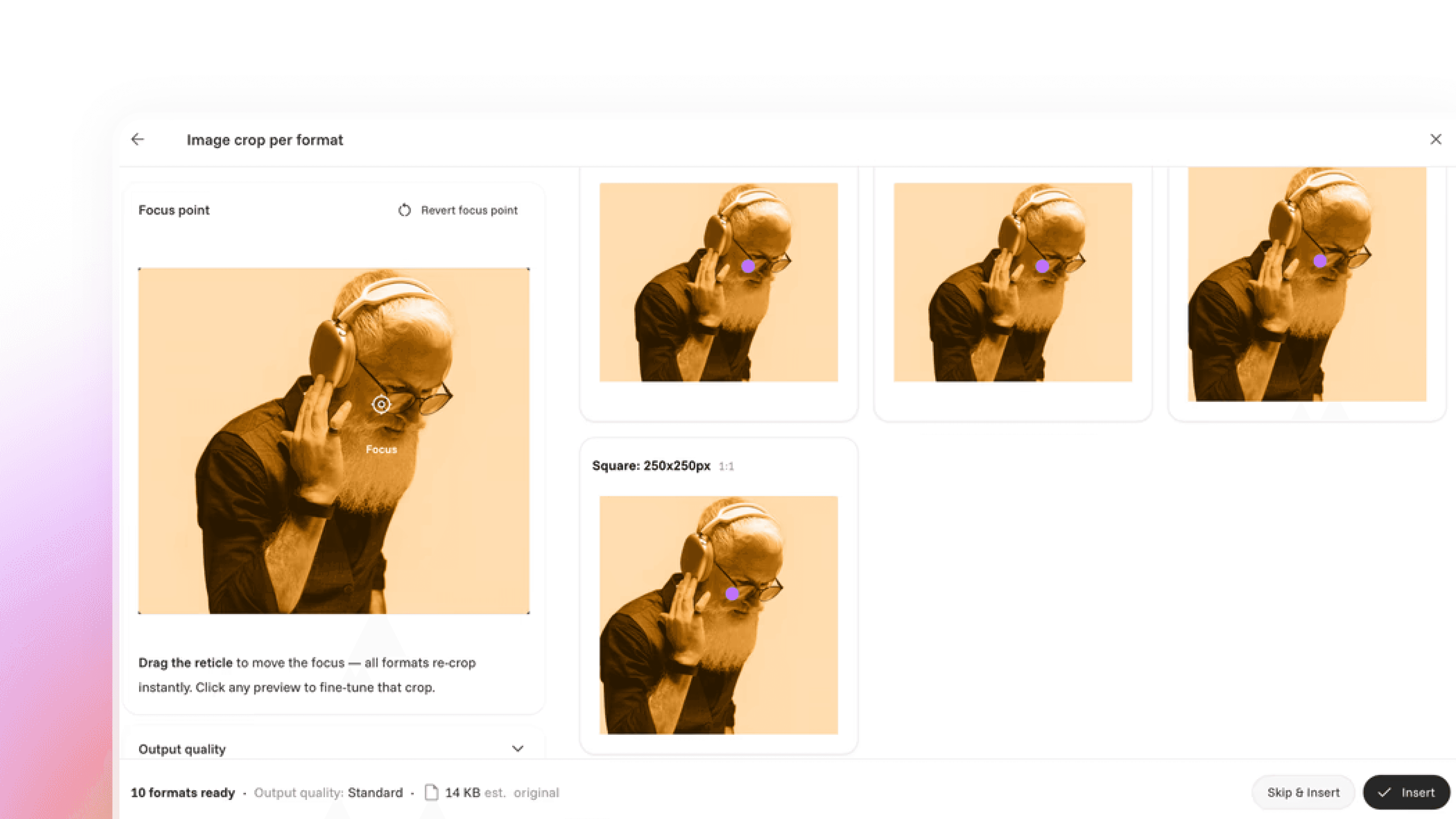
Auto Cropper interface showing one photo re-cropped automatically into several ad formats

Jun 26, 2026

Introducing: Auto Cropper

Introducing a new AI-powered auto-cropping feature in our Creative Automation solution.

Row of duotone ad creatives under review, illustrating automated ad compliance checks

Oct 7, 2025

New: Ad compliance, made easy

AI-powered ad compliance tool designed to make it easy to stick to the rules around the world

Sidekick AI assistant chat window answering a question about building an After Effects template

Jun 9, 2025

Sidekick: everything’s easier when you can just ask

Meet Sidekick, the in-platform assistant that removes roadblocks across Cape, from Template Designer to Campaign Designer, with contextual, real-time answers so you can focus on the creative work.

Laptop screen showing the Amazon storefront header, on automating Amazon storefront creation

Mar 11, 2025

Simplifying Amazon storefront creation with intelligent campaign automation

Creating Amazon Brand Stores shouldn’t be a bottleneck

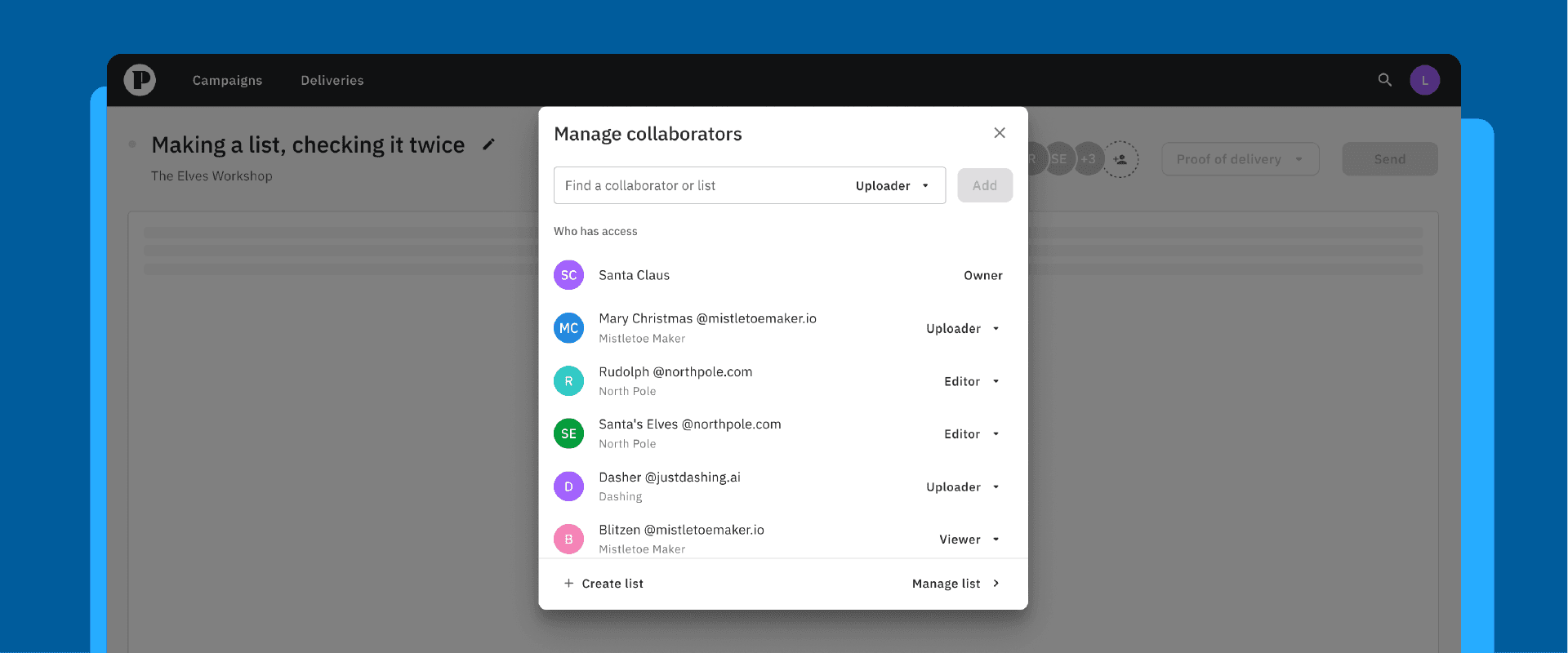
Manage collaborators dialog showing team members and their uploader, editor and viewer roles

Dec 2, 2024

New to Cape Advanced TV: Adding collaborators, faster, with the new lists feature

Making a list, checking it twice

Nov 19, 2024

Navigating the challenges of retail media

More retailers are becoming ad platforms, and retail media is now a massive growth opportunity. But it comes with real growing pains. Here's what it is and how to navigate it.

Peach Go workspace showing a grid of uploaded video projects with file sizes and dates

Nov 14, 2024

New in Cape Check & Go: a (work)space of your own

The new Cape Check & Go user experience makes it faster to upload, QA, manage, preview and transfer your files — giving you more control and visibility over your campaigns

Oct 23, 2024

Streamlining Google Ads approval: how Cape.io prevents ad rejections

Few things slow a campaign like a rejected ad, and on Google Ads it's frustratingly common. Here's how Cape.io builds in proactive safeguards to catch issues early and launch with confidence.