Update: check safe zones for Converged TV, social and digital ads in Cape Advanced TV

Everything you need to know about safe zones (aka safety cages or title safe areas) for Converged TV, social and digital ads

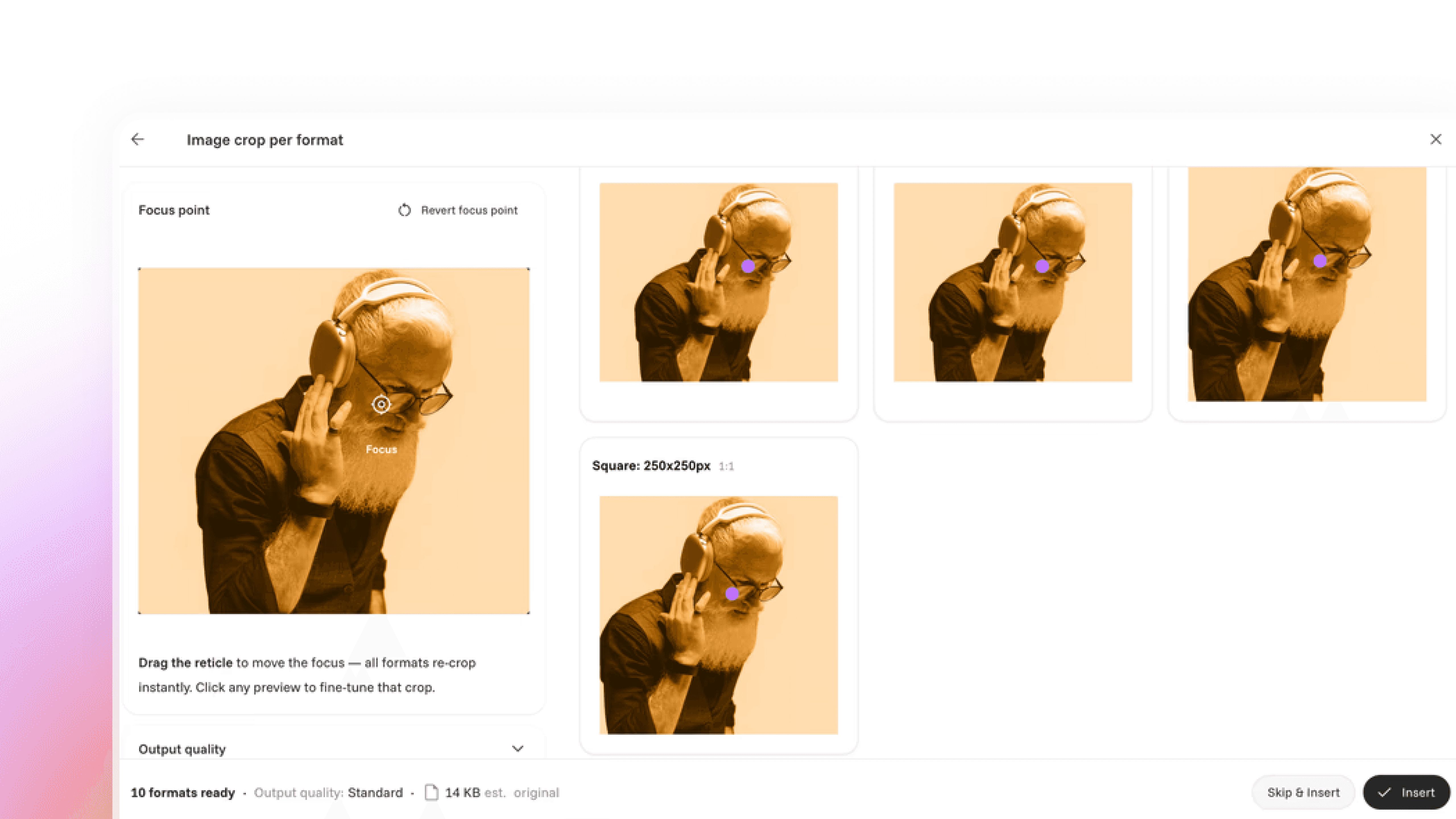
Advanced TV preview checking a video against Instagram, Snapchat and TikTok safe zones

This blog post was originally posted on the Peach website. Find out more about the rebrand from Peach to Cape.io.

We’ve just launched safe zones on previews in Cape Advanced TV. What are they, and why are they important?

What are safe zones? 

Also known as safety cages or title safe zones, safe zones refer to the area in an ad which houses content on screen in a rectangular area that is far enough in from the edge, so that text or graphics show neatly: with a margin, and without distortion. 

Why are safe zones important?

Often, content is being re-edited for different platforms, so it’s important that communication isn’t hidden by the user interface or other graphics on the screen. Peach Connect’s new feature allows you to test this across platforms, saving time and avoiding any misformatting. 

TV safe zones

The safe zones for TV (including Linear and Connected TV) are based on the different technical specs required around the world. Originally required for the days of CRT TVs where ‘overscanning’ (the image bleeding off the edges of the TV screen) was always the case, this has remained with us in the world of HD, 4K and 8K TVs. 

There are two types of safe areas that are used globally:

  • ‘Title safe zones’ (ensures  text is visible)

  • ‘Action safe zones’ (action is visible on the screen) — less commonly used

For example, in most Latin American countries, 16:9 ads use a 3.5% border (38 pixels top/bottom, 67 pixels left/right for HD) for the action safe zones, and a 5% border (54 pixels top/bottom, 96 pixels left/right for HD) for the title safe zones.


Check out the details in our global technical specification pages.

Digital safe zones 

With ad platforms differing so greatly when it comes to layout and safety zones, keeping track of the correct specifications for content is becoming more of a challenge and will continue like this. 

For example, ads on TikTok have very different considerations to those managed by Meta’s ad manager and even converged TV specs. 

Currently we support the following ad platform safe zones for 4:5, 1:1, 16:9 and 9:16 ads:

  • YouTube

  • Instagram / Facebook

  • Instagram / Facebook Stories

  • Instagram / Reels

  • TikTok

  • Snapchat

How to test for safe zones in Peach

Create a campaign and ad, then once your file has been uploaded, click on the ‘Safe Zone’ icon to check the safe zones on the video preview. This will give you the piece of mind that the ad will be able to fully communicate with your target audience, without any content being obscured.

Safe Zones are the latest addition to our wide range of features which make delivering and managing the ad workflow in Peach Connect. Other new formats include CTV display ads, which includes L-Shaped, Still and Pause formats.

October 19, 2026

2 min read
Compliance: eliminate creative risk across 20+ global markets

We are excited to announce major updates to Cape.io Compliance.

Cape.io Reporting Intelligence dashboard showing campaign metrics at a glance

September 24, 2026

3 min read
Reporting Intelligence: campaign clarity in one click

We are excited to announce that Reporting Intelligence is officially live in Cape Creative Automation.

Campaign Analytics dashboard in Cape.io showing impressions, clicks, click rate and cost per click

August 3, 2026

4 min read
Campaign Analytics: close the loop on campaign performance

Campaign Analytics is now live in Cape Creative Automation.

Auto Cropper interface showing one photo re-cropped automatically into several ad formats

June 26, 2026

2 min read
Auto Cropper: AI powered auto cropping for Creative Automation

Introducing a new AI-powered auto-cropping feature in our Creative Automation solution.

Video player with a CC icon and the caption Every moment, clearly captured, for Cape closed captioning

January 9, 2026

4 min read
Every Word Counts - Cape Closed Captioning

Captions have become more than an accessibility tool, they’re now essential for how we watch, understand, and engage with content. Clear, inclusive, and attention-smart, captioning helps every story reach everyone.

Row of duotone ad creatives under review, illustrating automated ad compliance checks

October 7, 2025

4 min read
Cape.io Compliance: AI powered checks to keep every campaign on the rules

AI-powered ad compliance tool designed to make it easy to stick to the rules around the world

Sidekick AI assistant chat window answering a question about building an After Effects template

June 9, 2025

2 min read
Sidekick: Cape.io's in platform AI assistant for Template and Campaign Designer

Meet Sidekick, the in-platform assistant that removes roadblocks across Cape, from Template Designer to Campaign Designer, with contextual, real-time answers so you can focus on the creative work.

Laptop screen showing the Amazon storefront header, on automating Amazon storefront creation

March 11, 2025

2 min read
Update: create Amazon Brand Stores faster with Cape.io's campaign automation

Creating Amazon Brand Stores shouldn’t be a bottleneck

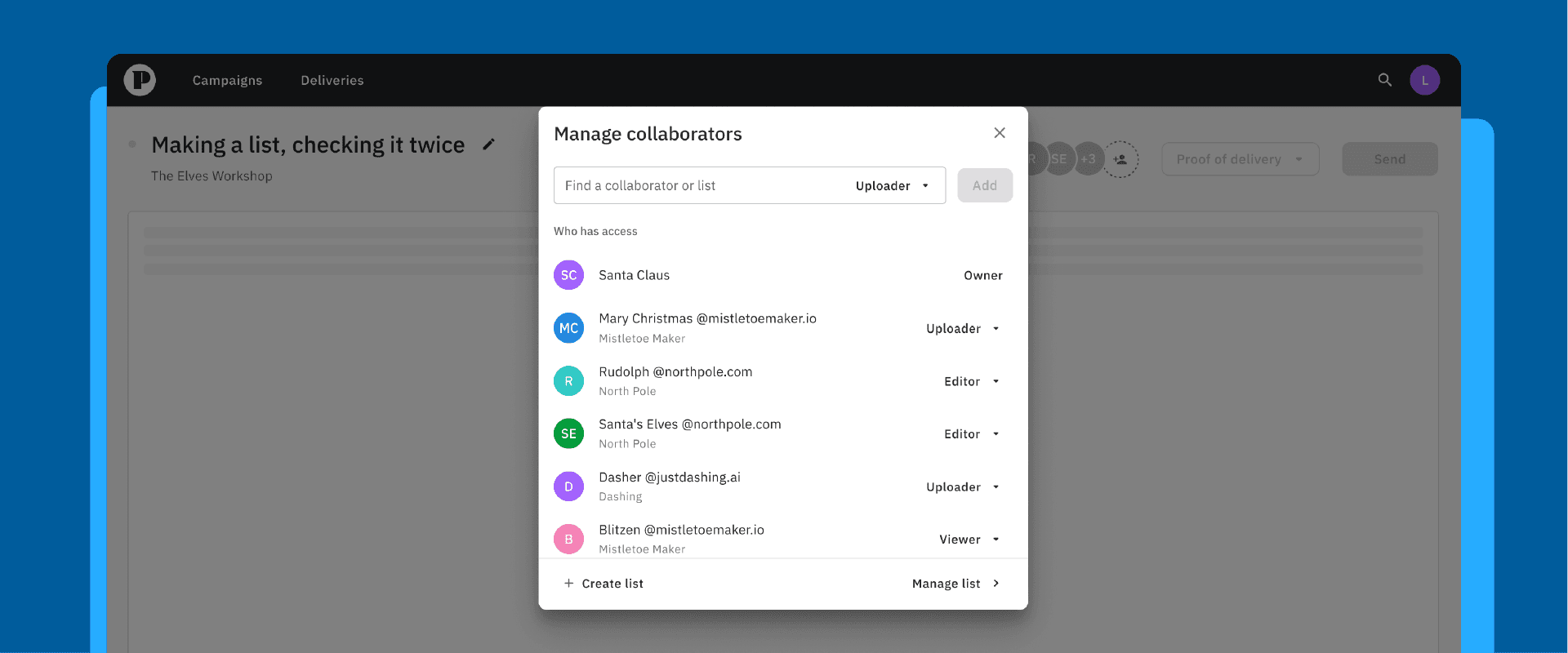
Manage collaborators dialog showing team members and their uploader, editor and viewer roles

December 2, 2024

1 min read
Update: Cape Advanced TV adds a faster way to manage collaborator lists

Making a list, checking it twice

November 19, 2024

3 min read
Retail media challenges: what advertisers need to know

More retailers are becoming ad platforms, and retail media is now a massive growth opportunity. But it comes with real growing pains. Here's what it is and how to navigate it.