Key Takeaways
Every new advertising format can mean another round of manual cropping and resizing, slowing production and creating inconsistencies across campaign assets.
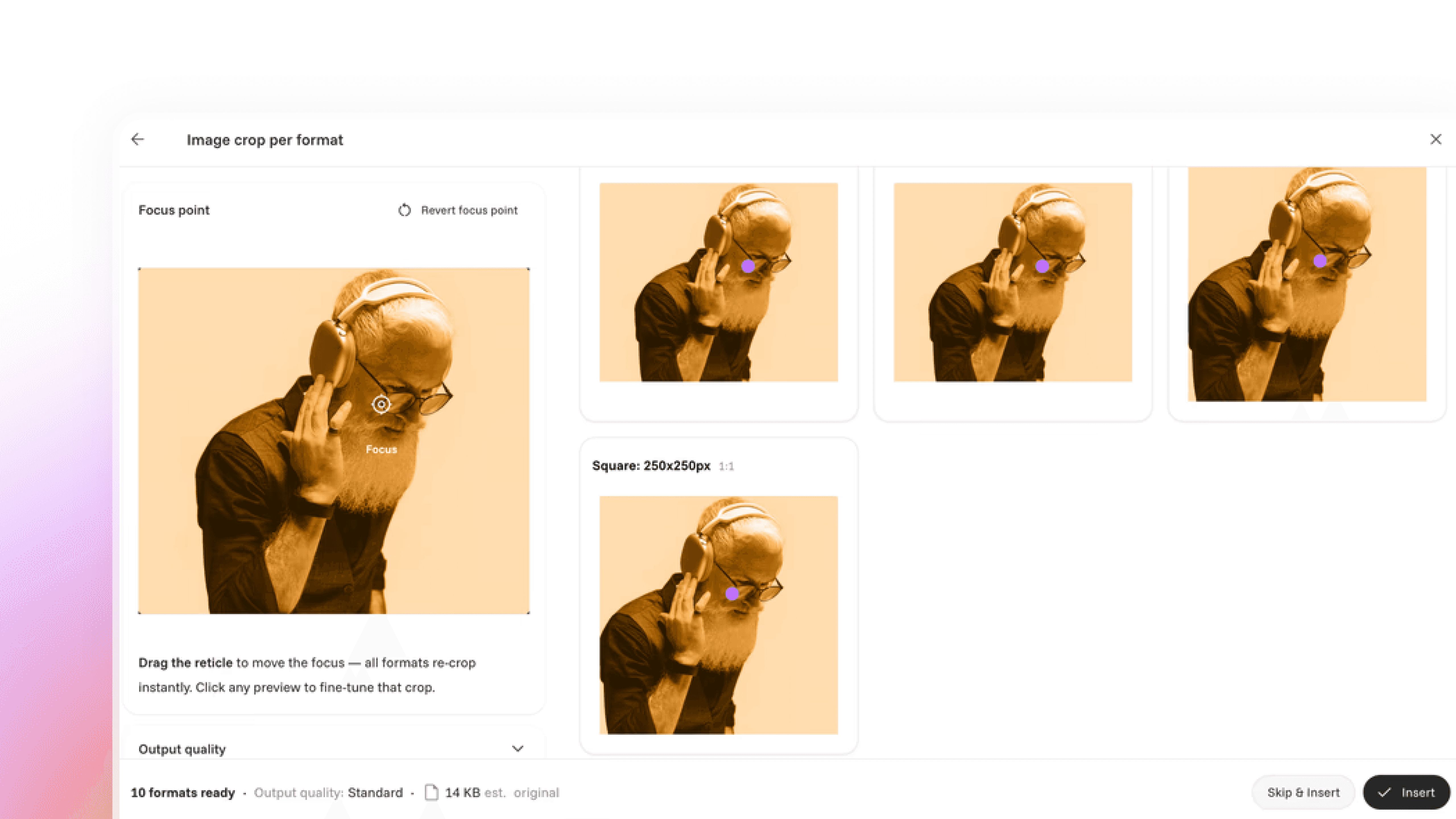
AI can identify the focal point of an image and automatically adapt the crop, dimensions and file size for different advertising formats.
Cape.io Auto Cropper turns format adaptation into a seconds-long workflow, helping teams produce consistent creative without repeatedly resizing assets by hand.
Tired of cropping images for every ad format?
Creating ads across multiple sizes often means spending far too much time manually cropping images to make sure the important parts stay visible.
That’s why we’ve introduced a new AI-powered auto-cropping feature in our Creative Automation solution.
The tool automatically identifies the focal point of an image and intelligently adjusts crops for different formats, ensuring the most important content remains in view. Whether you’re creating display ads, social creatives, or campaign assets at scale, it helps deliver high-quality crops in seconds without the manual work.
It also optimizes each crop for the required dimensions, helping you create high-quality creatives that remain lightweight and efficient. This is especially important for display advertising, where file size can directly impact performance and delivery.
The result? Faster production, more consistent creatives, and less time spent resizing assets.
Frequently asked questions
What is Auto Cropper?
Auto Cropper is an AI feature in Cape.io's Creative Automation solution that crops images for every ad format automatically, keeping the focal point in view.
Which ad formats does Auto Cropper work with?
Auto Cropper works across display ads, social creatives and other campaign assets
Why does file size matter for ad crops?
Lighter files load faster and meet ad server and publisher size limits. Auto Cropper keeps crops small for display delivery.
How do I get Auto Cropper?
Auto Cropper is part of Cape.io's Creative Automation solution. Contact your client manager or the Cape.io sales team to see it in action.
Interested in seeing it in action?
Check out the demo below or reach out to your client manager or our sales team to learn more.