/

/

Designed for advertising: a better way to share video assets

Designed for advertising: a better way to share video assets

Just share video files and go! As easy as email, but designed for advertising: organised, secure, with QC  and ready to be turned into a campaign with collaborators. Kiran Earwaker on our new easy video asset sharing feature.

Create ads screen offering to set up ads with metadata or upload video files first

This was originally posted on the Peach website. Find out more about the rebrand from Peach to Cape.io.

Watch James Clark easily share files with collaborators in Peach


When we began to look at how to help our customers manage their TV ad delivery, social video assets, ad servers, BVoD and ad destinations we reached out to a host of users throughout the industry whose responsibility it is to handle these digital files.

One of the main things we saw was that agencies still heavily rely on the likes of email and other file sharing tools like WeTransfer and Dropbox. Though this method is a simple solution it can also create a lot of issues down the line:

  • Emails get lost due to inundated inboxes and staff churn

  • WeTransfer links expire within 14 days

  • Download pages can get blocked by internal firewalls

  • Files have to be downloaded and then re-uploaded into multiple systems

  • They’re not secure!

Even after campaign traffickers (AdOps, programmatic teams, etc.) manage to get the right files, there's a risk of the file failing on the upload or by a broadcaster due to incorrect file specifications. Depending on where the problem sits in the workflow, it becomes that person’s responsibility to kick it back down the chain to make sure that the issue is resolved.

All this takes too long. People describe it as messy (at the very least!) — scrambling around to locate, re-render and update files. Lots can go wrong and it often does — leading to frustration.

Peach, of course, solves these issues, but in talking to our customers we realised we could make it easier. Before today Peach asked users to enter a lot of information just to upload a digital video. We wanted to get rid of this convoluted process and make the whole thing much more streamlined and easy to use.

We explored ways we could simplify this. After lots of ideas and research we decided a huge first step is to just let users upload digital files — without adding any information first. Once uploaded Peach automatically recognises the ad type, aspect ratio, and duration. The title is then set based on the upload filename. Ads can then be quickly shared with another collaborator to add destinations, distribute the files or work with activators. We have lots of other steps we want to take to make this process even easier for our users, but we believe this is an exciting step towards making handling digital campaigns a breeze.

Note: Right now we don’t support linear TV assets for this feature.

Digital out-of-home screen showing a pink NEW HOT ad, illustrating programmatic DOOH creative

Aug 17, 2026

How to scale programmatic DOOH creative: solving the format bottleneck

DOOH offers brands huge creative potential, from hyper-local messaging to dynamic campaigns triggered by weather, time, and location. But bringing that potential to life means producing an enormous number of creative variations across a fragmented landscape of screen sizes and formats.

Campaign Analytics dashboard in Cape.io showing impressions, clicks, click rate and cost per click

Aug 3, 2026

Closing the loop: Introducing Campaign Analytics in Cape.io

Campaign Analytics is now live in Cape.io.

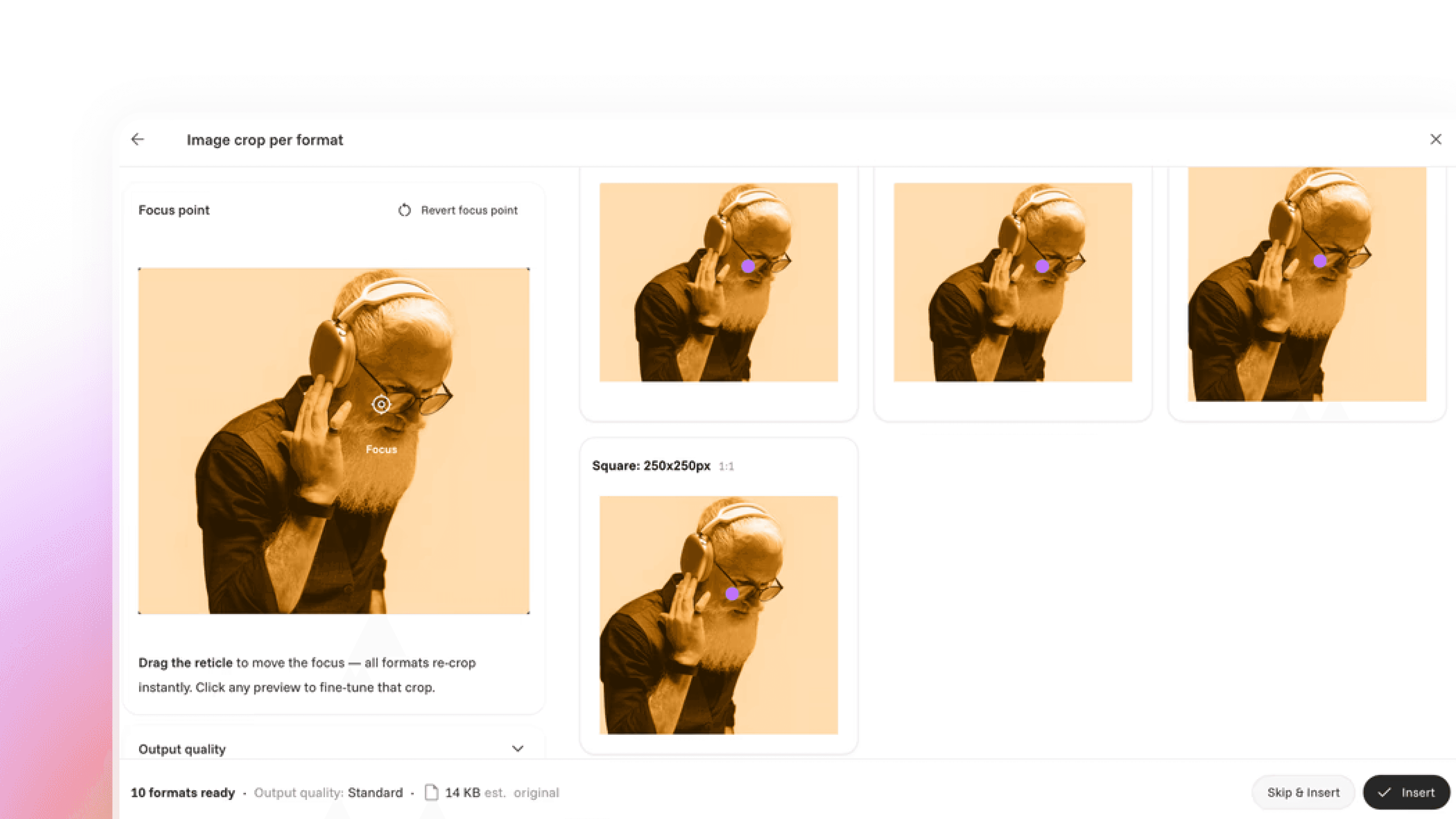
Auto Cropper interface showing one photo re-cropped automatically into several ad formats

Jun 26, 2026

Introducing: Auto Cropper

Introducing a new AI-powered auto-cropping feature in our Creative Automation solution.

Row of duotone ad creatives under review, illustrating automated ad compliance checks

Oct 7, 2025

New: Ad compliance, made easy

AI-powered ad compliance tool designed to make it easy to stick to the rules around the world

Sidekick AI assistant chat window answering a question about building an After Effects template

Jun 9, 2025

Sidekick: everything’s easier when you can just ask

Meet Sidekick, the in-platform assistant that removes roadblocks across Cape, from Template Designer to Campaign Designer, with contextual, real-time answers so you can focus on the creative work.

Laptop screen showing the Amazon storefront header, on automating Amazon storefront creation

Mar 11, 2025

Simplifying Amazon storefront creation with intelligent campaign automation

Creating Amazon Brand Stores shouldn’t be a bottleneck

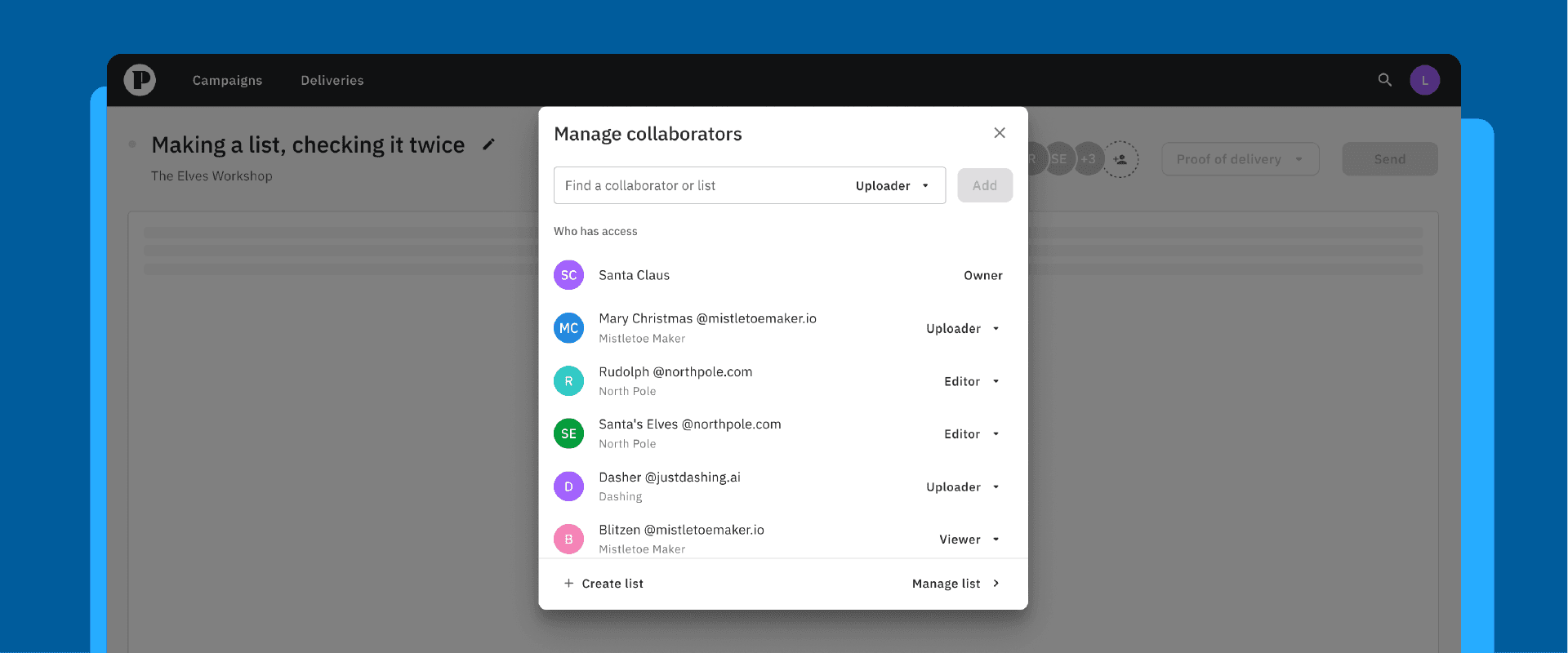
Manage collaborators dialog showing team members and their uploader, editor and viewer roles

Dec 2, 2024

New to Cape Advanced TV: Adding collaborators, faster, with the new lists feature

Making a list, checking it twice

Nov 19, 2024

Navigating the challenges of retail media

More retailers are becoming ad platforms, and retail media is now a massive growth opportunity. But it comes with real growing pains. Here's what it is and how to navigate it.

Peach Go workspace showing a grid of uploaded video projects with file sizes and dates

Nov 14, 2024

New in Cape Check & Go: a (work)space of your own

The new Cape Check & Go user experience makes it faster to upload, QA, manage, preview and transfer your files — giving you more control and visibility over your campaigns

Oct 23, 2024

Streamlining Google Ads approval: how Cape.io prevents ad rejections

Few things slow a campaign like a rejected ad, and on Google Ads it's frustratingly common. Here's how Cape.io builds in proactive safeguards to catch issues early and launch with confidence.