43 features of Cape.io's Ad Validation tool, explained

Ad Validation is an adtech tool designed to empower publishers and media owners to ensure all their ad space meets quality approved standards.

Glowing fairy lights on cream with the headline Don't leave Christmas compliance until Christmas Eve

This was originally posted on the Peach website. Find out more about the rebrand from Peach to Cape.io.

What can you achieve in a minute? What do you want to admit you can achieve in a minute? 

What if spending one minute here could ripple into saving hours down the line? That sounds pretty dreamy right? Ad Validation is exactly that, a dream. Within 60 seconds you gain 100% accuracy and confidence that the ads you show on your website will do that - show, in perfect quality with perfect audio and in complete compliance. 

Here’s the full list of features you get access to when you try the Ad Validation platform:

FULL VAST SUPPORT

VAST required media files

Automatically download and analyse all media-files referenced ensuring that the VAST tags include all necessary renditions and that each individual media-file is following your requirements.

VAST variations: If creative variations exist within a VAST URL, Advalidation will find it by downloading the VAST XML multiple times in search of variations in the Ad IDs and Creative IDs. If variations are detected, the creative report will display the different variations allowing you to see each individual file, the differences between them, and if any issues exist.

Ad verification tags: Some agencies and advertisers don’t want their ads appearing alongside certain keywords or content, which can cause the ad to be blocked from displaying. This test allows you to monitor for “blocking tags,” allowing you to avoid discrepancies and lost revenue.

VAST discrepancies: If there are discrepancies between the declared properties (format, bitrate, resolution) and the actual properties of the media file, this test will alert you with a warning.

VAST version: Just like there are different versions of the iPhone, there are also multiple versions to the VAST standard (in fact, since its initial launch in 2008, there are over 4 different VAST versions). This feature allows you to set your standards for which VAST version you accept (includes VAST 1-4.1).

VAST API framework: This feature allows you to detect and either accept or deny VPAID (Video Player Ad-Serving Interface Definition).

VAST skip detection: This test detects whether or not the ad is skippable.

VAST creative count: This test detects whether or not the VAST tag contains multiple creative ID’s (not to be confused with multiple media-files). As multiple creative ID VAST tags are somewhat rare, this check calls for manual review of the ad hierarchy within the file.

PRIVACY + COMPLIANCE

Connection screening: Rather than approving the same vendors over and over again, you can create a list of your accepted vendors who meet your requirements. If there are network connections made from tags or tracking pixels to vendors that are not on your list, you will be notified immediately so they can be removed.

HTTPS: Protect the privacy and security of users by requiring all network activity to be over HTTPS. This test surfaces any non-HTTPS network activity.

USER EXPERIENCE

Audio Average Volume: Unexpected increases in audio volume between content and commercials can be jarring and annoying for users. To avoid this, use our Audio Average Volume test, which allows you to set audio volume standards according to your needs. Learn more

Audio True Peak Volume: Measure the volume of audio as it will be heard through speakers and headphones. If the audio exceeds your maximum allowed true peak level (dBTP), you’ll be notified instantly.

APPEARANCE

Test for video quality: Instantly detect duplicate and interlaced frames that can cause fluctuation and distortion.

Video frame rate: The frame rate is the rate at which consecutive images (frames) appear on a display. It is expressed in fps (frames per second). Available settings are exact frame rates or intervals.

1-click previews: Rather than downloading each individual file, you can now preview any video ad with the click of a button. No more jumping between screens or copy & pasting tags from excel!

VIDEO PROPERTIES

Video file size: The file size is the size of the video file in kilobytes. Resolution, duration, bitrate, framerate, and compression are some of the properties that will affect quality and file size. The available settings within this test are min and max file size.

Dimensions: Dimensions is the size/ratio of video. This feature allows you to set a standard of one or multiple exact resolutions (i.e. 1920x1080) or one (or multiple) aspect ratios (i.e. - 16:9, 4:3, etc) that you will accept.

Letterboxing:Letterboxing or pillarboxing occurs when a clip is displayed in a different aspect ratio context than it was produced for. The most common case is displaying 16:9 content in 4:3 context (letterboxing) or the reverse (pillarboxing). Available settings within this test are to accept or deny Letterboxing and Pillarboxing.

Duration: This test measures the duration of the video file (measured in seconds). Available settings are one or multiple exact durations or intervals. Optionally, Advalidation can round the detected duration to the nearest whole number to allow for small discrepancies.

Bitrate: The bitrate is the number of bits that are processed in a unit of time. In general, a higher bitrate will accommodate higher quality video and audio, however, the higher the bitrate, the more bandwidth is required to play back the video. Available settings for this test ranges from “total bitrate” to separate ranges of audio and video bitrate.

Container format: A container usually bundles the audio and video data in one organised package. In addition, the container can contain metadata, subtitles, and additional audio files such as different spoken languages. Available settings for this test are 3GPP, 3GPP2, AVI, IVF, FLV, M4V, MKV, MXF, MOV, MP4, MPG, SWF, WebM, WMV.

Video Codec: A codec processes video and stores it in a stream of bytes. Codecs use algorithms to effectively shrink the size of the video file then decompress it when needed. Available settings for this test are H264, H265 (HEVC), MPEG-4 Visual, ProRes, Sorenson Spark, VC-1, VP6, VP8, VP9, WMV8, AV1.

Audio Codec:

Audio codec processes audio and stores it in a stream of bytes. Codecs use algorithms to effectively shrink the size of the audio file then decompress it when needed. Available settings for this test are AAC, MP3, Opus, PCM, Vorbis and WMA.

Scan type:Video is displayed using either the interlaced or the progressive scanning method. Available settings for this test are interlaced and progressive.

Colour space:The colour space check validates the encoding of luma/chroma sampling. YUV 4:2:0 is by wide margin the most common colour space setting in online video. Available settings for this test are YUV 4:2:0, YUV 4:4:4, YUV 4:2:2, YUV 4:1:1.

Audio sample rate:Sample rate is the average number of samples of audio per second. It is expressed in Hz or kHz. Available settings for this test are 44.1 kHz, 48 kHz.

STREAMLINE WORKFLOW

On-going monitoring: Don't get blindsided by mid-campaign creative updates. Receive alerts on creative swaps mid-campaign, added tracking pixels, increased load time and more!

User management: Assign different rights to your team members to ensure only administrators can update ad specifications and other settings. Report on a number of campaigns created, creatives tested, and much more.

Bulk uploading: Save time and headache by bulk uploading one or multiple excel sheets, VAST tags, images, video files or ZIP files in under a minute.

Test from your inbox: Test hundreds of ads without ever logging in to your account! When you receive creative files via email, you can forward them directly into Advalidation; when the files have been analysed, you’ll get an email back with a link to your report.

Detailed asset view: All of our reports include a “detailed asset view” for each test, allowing you to dig deeper into specific assets for more context and information.

Quick preview: Quickly see how your video or display ad will look before launching. This feature is especially helpful if you have a VAST tag with multiple renditions, ensuring you’re reviewing all versions before launching (no need to upload or add the asset to a video player!).

Quick rescan: It’s like a refresh button for testing! Instead of having to find the file and re-upload after changes have been made, you can quickly rescan a single creative (or a whole batch of creatives) in just a couple of clicks.

History view: Every time a file is rescanned we save the report ensuring you always have a record of when or if the files have been changed.

Mobile-friendly reports: Access reports on your mobile device allowing you to review and share feedback while on-the-go.

CUSTOMISATION

Share or subscribe to ad specs: Share ad specs with other Advalidation customers with the click of a button. If you work with vendors who need the most up-to-date specs (but they don’t manage your ad accounts), they can “subscribe” to your specs so they always have the most current specs (even if you make changes on your end).

Multiple ad specs: If you require multiple specs for different types of ads or devices, you can add them to your Advalidation account and use them to accurately assess creative before launching campaigns.

Multiple approved vendor lists: If you work with a variety of vendors, you can create multiple “approved vendors” lists so you don’t have to continuously approve recurring vendors.

FAST SETUP + ONBOARDING

Personalised onboarding program: Our Premium and Enterprise plans include a personalised onboarding program, which is customised to your specific needs and challenges. Typically, onboarding takes about an hour to get you and your team set up and ready to go!

On-going training available: If you and your team would like additional training or have specific questions you’d like answered, our team is available and ready to help (premium support is included in our Premium and Enterprise plans).

DATA + REPORTING

Aggregate reporting: The insights tool allows you to generate reports across all tested creatives to be able to discover things like average initial file size, most common third party domain, and so much more.

Shared reports: As soon as your report is generated, you can instantly share the link (or email it directly) to your team and clients.

Data retention: Keep or delete campaigns and creatives after a certain amount of time. Customise according to your needs!

November 12, 2026

4 min read
Brand Management: bring your brand guidelines to life where your creative is built

Brand Management is now available in Cape Creative Automation, giving your brand guidelines a centralized home inside the same platform where your creative is built.

October 19, 2026

2 min read
Compliance: eliminate creative risk across 20+ global markets

We are excited to announce major updates to Cape.io Compliance.

Cape.io Reporting Intelligence dashboard showing campaign metrics at a glance

September 24, 2026

3 min read
Reporting Intelligence: campaign clarity in one click

We are excited to announce that Reporting Intelligence is officially live in Cape Creative Automation.

Campaign Analytics dashboard in Cape.io showing impressions, clicks, click rate and cost per click

August 3, 2026

4 min read
Campaign Analytics: close the loop on campaign performance

Campaign Analytics is now live in Cape Creative Automation.

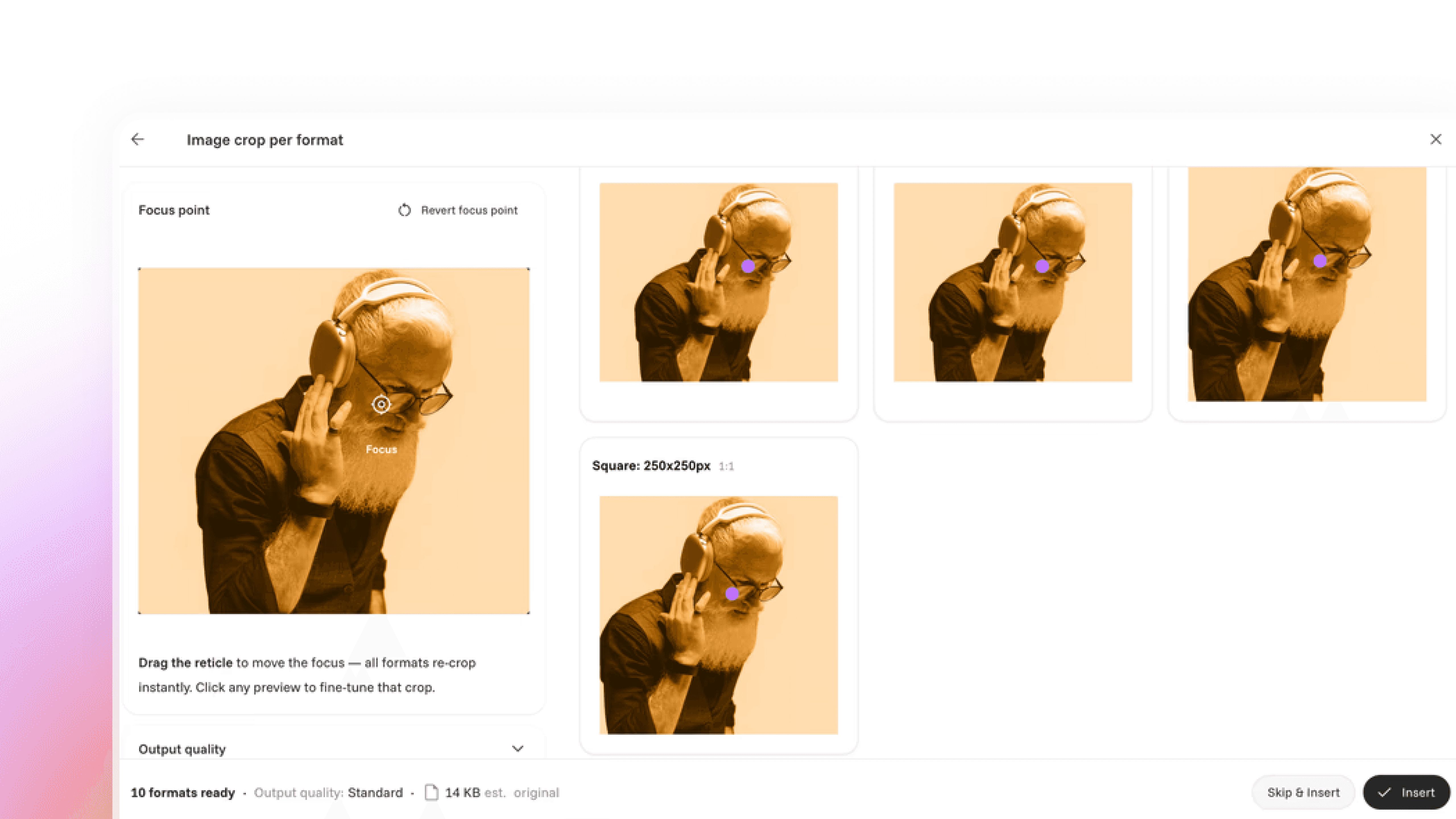
Auto Cropper interface showing one photo re-cropped automatically into several ad formats

June 26, 2026

2 min read
Auto Cropper: AI powered auto cropping for Creative Automation

Introducing a new AI-powered auto-cropping feature in our Creative Automation solution.

Row of duotone ad creatives under review, illustrating automated ad compliance checks

October 7, 2025

4 min read
Cape.io Compliance: AI powered checks to keep every campaign on the rules

AI-powered ad compliance tool designed to make it easy to stick to the rules around the world

Sidekick AI assistant chat window answering a question about building an After Effects template

June 9, 2025

2 min read
Sidekick: Cape.io's in platform AI assistant for Template and Campaign Designer

Meet Sidekick, the in-platform assistant that removes roadblocks across Cape, from Template Designer to Campaign Designer, with contextual, real-time answers so you can focus on the creative work.

Laptop screen showing the Amazon storefront header, on automating Amazon storefront creation

March 11, 2025

2 min read
Update: create Amazon Brand Stores faster with Cape.io's campaign automation

Creating Amazon Brand Stores shouldn’t be a bottleneck

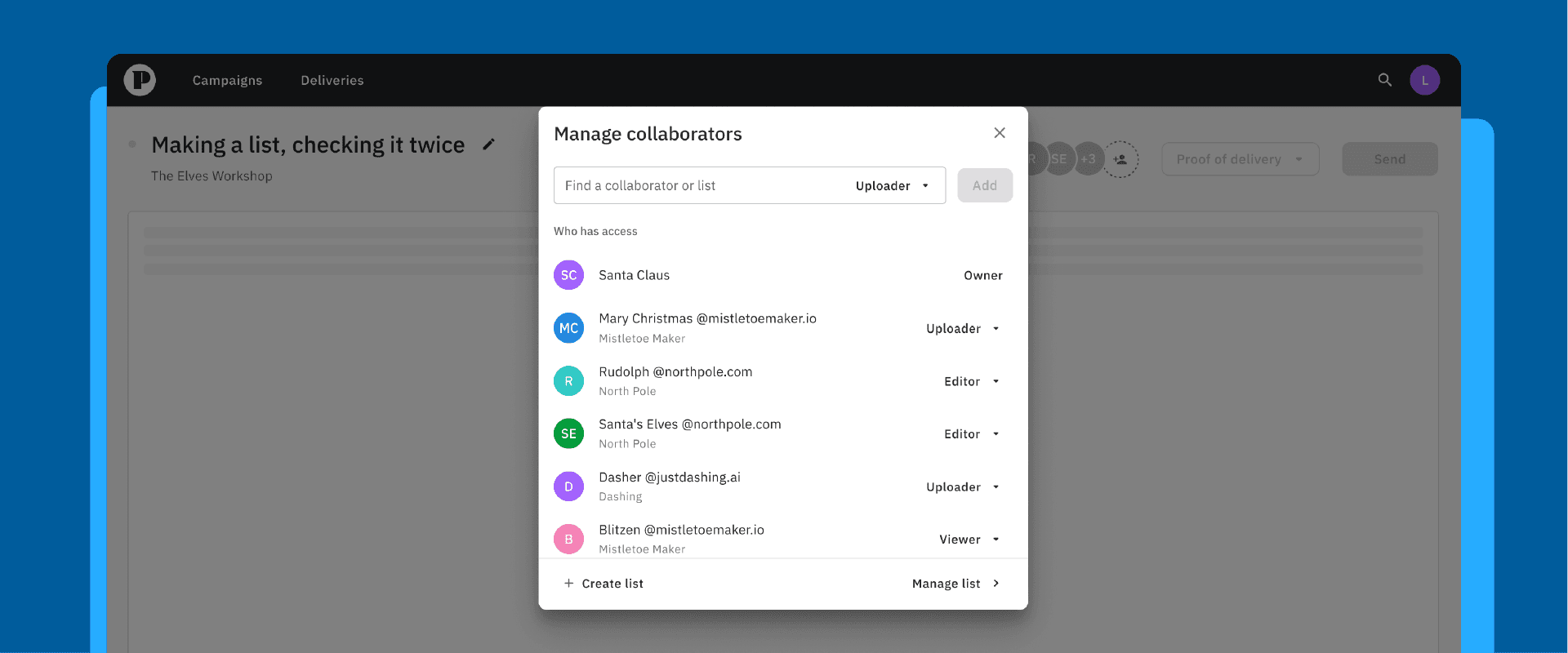
Manage collaborators dialog showing team members and their uploader, editor and viewer roles

December 2, 2024

1 min read
Update: Cape Advanced TV adds a faster way to manage collaborator lists

Making a list, checking it twice

November 19, 2024

3 min read
Retail media challenges: what advertisers need to know

More retailers are becoming ad platforms, and retail media is now a massive growth opportunity. But it comes with real growing pains. Here's what it is and how to navigate it.

Peach Go workspace showing a grid of uploaded video projects with file sizes and dates

November 14, 2024

1 min read
Update: Cape Check & Go gets a dedicated workspace for upload, QA and previews

The new Cape Check & Go user experience makes it faster to upload, QA, manage, preview and transfer your files — giving you more control and visibility over your campaigns

October 23, 2024

2 min read
How to avoid Google Ads rejections: Cape.io's proactive approval safeguards

Few things slow a campaign like a rejected ad, and on Google Ads it's frustratingly common. Here's how Cape.io builds in proactive safeguards to catch issues early and launch with confidence.

October 21, 2024

3 min read
How automation is changing display ad creation

Display Ads

Three-dimensional Google logo letters mounted on a wooden wall

October 8, 2024

1 min read
Cape.io is now an official Google and Meta partner

Cape.io is a Google Partner and Meta Business Partner

September 10, 2024

3 min read
How automation is changing DOOH advertising

Simplify and scale DOOH advertising

Phone dock with Facebook, Snapchat, X and TikTok icons, on getting ads social media ready

August 27, 2024

1 min read
Update: Cape Check & Go now checks ads for Meta, X, TikTok and Snapchat

Meta, X, TikTok and Snapchat are now supported by our Analyse feature in the latest Cape Check & Go (formerly Peach Go) update

Illustration of a ZIP file of stacked banner sizes with an approval tick, on checking HTML5 files

July 23, 2024

1 min read
Update: check HTML5 ad files against DSP and ad server specs in Cape Check & Go

Cape Check & Go users can now analyse this popular ad file type with ease against DSP and ad server specifications.

Magnifying glass inspecting an ad file among CTV and DSP platform icons, for Cape Check and Go

June 16, 2024

2 min read
Update: Cape Check & Go adds checks for CTV, DSPs and major ad platforms

Analyse this! The latest Cape Check & Go (formerly Peach Go) product update helps you check your assets for Google DV360, Google CM360, YouTube, Disney+, Netflix, Amazon Prime Video and The Trade Desk.

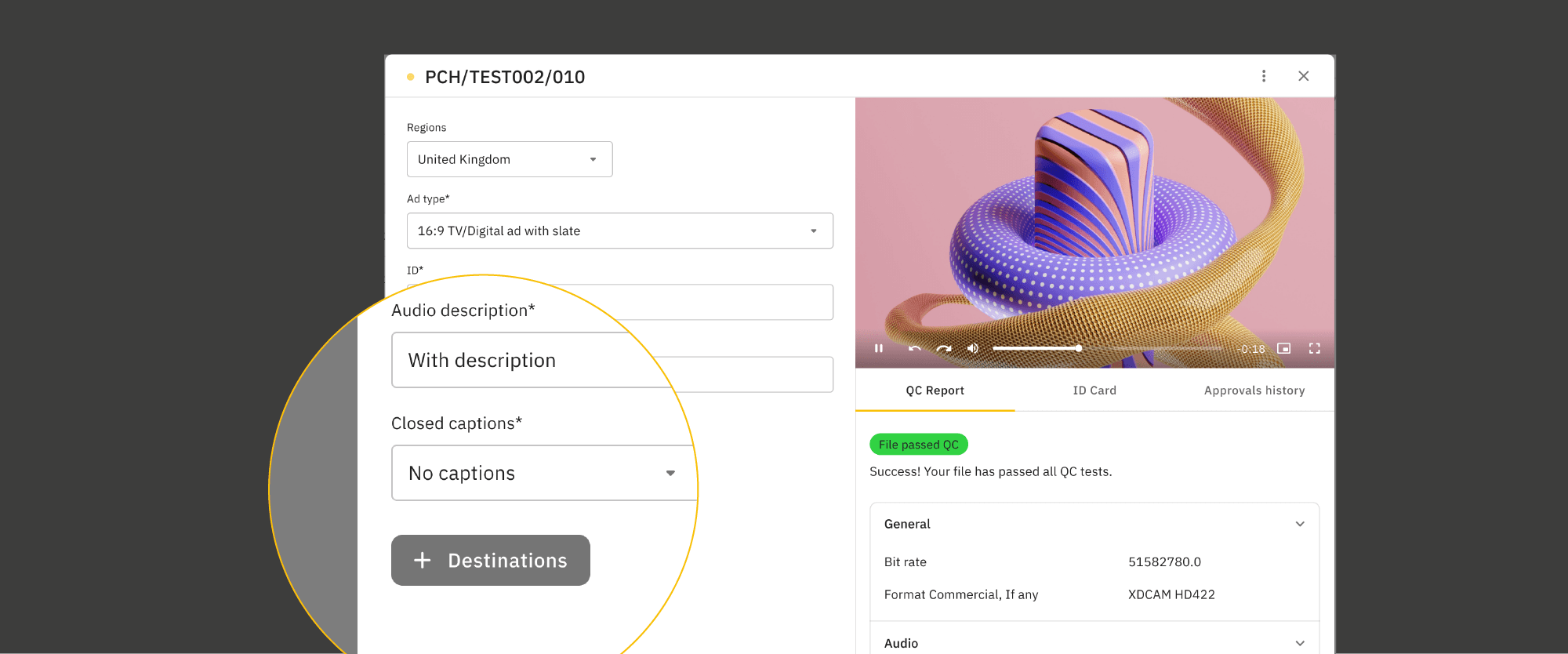
Ad delivery form with the audio description field set to With description, beside a passed QC report

May 7, 2024

2 min read
Update: deliver ads with Audio Descriptions in Cape Advanced TV

Improving how AD files are integrated into the ad delivery workflow.

Video ad preview with safe zone guides overlaid, from the Check and Go safe zone check

May 1, 2024

2 min read
Update: check ad safe zones in Cape Check & Go

Giving you more space for creativity

Check and Go screen previewing an HTML5 banner ad rendered as a GIF

April 29, 2024

1 min read
Update: preview HTML5 ads directly in Cape Check & Go

Make sure your ads are getting the right kind of attention

Disney+ logo on a glossy 3D cube lit in blue and teal, for CTV advertising on Disney+

April 18, 2024

1 min read
Update: run CTV campaigns on Disney+ through Cape.io's DRAX integration

Did you know you can run campaigns on Disney+ directly from Cape.io? Our DRAX integration via Google DV360 unlocks premium Disney inventory and high-value audiences from your existing workflow.

Advanced TV screen comparing ad creative preview and metadata next to a passed QC report

April 18, 2024

1 min read
Update: compare ad creative and metadata side by side in Cape Advanced TV

Spot the difference! Ad previews and the metadata are now combined.

Peach Go file preview showing a video with its technical details and a share link

March 26, 2024

2 min read
File Previews in Cape Check & Go: video, audio and image previews with full file specs

Introducing a major new feature: beautiful video, audio and image previews with a rich file spec summary

New ad form with region, ad type, duration and captions fields for an accessible TV ad

March 6, 2024

3 min read
Advertisers, unlock the power of accessible advertising

Join the brands championing inclusivity through accessible campaigns

Peach Go logo surrounded by illustrated video assets and file cards

February 7, 2024

5 min read
Cape Check & Go: a new file transfer tool built for advertising in the age of AI

A new type of file transfer tool, built for advertising in the age of AI

Advalidation video monitoring screen flagging a newly detected ad variation

January 16, 2024

3 min read
Update: monitor ads mid campaign with Advalidation

With 14% of ads getting changed mid-campaign, make sure you can keep your ads compliant

Advanced TV preview checking a video against Instagram, Snapchat and TikTok safe zones

October 25, 2023

3 min read
Update: check safe zones for Converged TV, social and digital ads in Cape Advanced TV

Everything you need to know about safe zones (aka safety cages or title safe areas) for Converged TV, social and digital ads

Illustration of desktop and mobile screens filled with display ad slots labelled New Ads

August 29, 2023

1 min read
Update: manage display ads directly in Cape Advanced TV

You’ve been asking and we’ve been delivering (it’s our thing).

Analytics dashboard on screen with live user counts and traffic charts, on the decline of DCO

July 12, 2023

3 min read
Is DCO still worth it? Personalization in a privacy first world

There a smarter approach to personalization in a privacy-first world

Campaign deliveries table listing ad versions with approval status, duration and destinations

May 15, 2023

3 min read
New in Cape Advanced TV: campaign editing, longform ads and Proof of Delivery downloads

New in the Cape Advanced TV platform: We’re rolling out a massive new set of features to make it easier to edit campaigns, manage longform ads, download PODs (that’s right, the much requested Proof of Delivery is finally here) and much more.

Yellow graphic with the words Long form stretched into a winding line, on long-form video ads

March 26, 2023

2 min read
Update: longform ads now supported in the UK, Germany, Austria and Switzerland

Cape Advanced TV now fully supports longform ads in the UK, Germany, Austria and Switzerland

Ad setup form in Advanced TV with the Ad Kode property field filled in

December 6, 2022

1 min read
Update: Ad-Kode property field added to Cape Advanced TV

Here’s what you need to know…

November 23, 2022

3 min read
How Cape.io fits into your ad tech stack

Navigating today's ad servers and DSPs can feel like an uphill battle: expensive, time-consuming, and full of complexity. Here's how Cape.io powers your ad tech stack with a smarter approach.

Tylie logo beside a portrait of a smiling executive

November 22, 2022

3 min read
Q&A with Cape.io's Chief Architect on the Tylie Tandem integration

Quickfire Q&A with our own Chief Architect on working with Tylie Tandem, one of our latest integrations.

Red Netflix wordmark on a dark background with circular shapes, on delivering ads to Netflix

November 3, 2022

1 min read
Update: deliver ads to Netflix Basic with Ads through Cape.io

‘Netflix Basic with Ads’ is live — and Cape.io is making it easy for you to get ads to them.

Deliveries dashboard listing ad deliveries per channel with status and destination filters

September 7, 2022

1 min read
Video: a tour of the Deliveries page in Cape Advanced TV

How to use the new Deliveries page with James Clark, VP of Customer Success

Deliveries dashboard listing ad deliveries per channel with status and destination filters

July 26, 2022

2 min read
Introducing Deliveries: track every ad across your campaigns in Cape Advanced TV

New in the Cape Advanced TV platform: Over the next few weeks we are launching Deliveries — a new improved way to track your ads getting delivered across all your campaigns, new navigation, plus more.

Illustrated digital radio on yellow, announcing Nordic radio support in Advanced TV

May 29, 2022

1 min read
Update: radio ad delivery now supported in the Nordics

You can now deliver your radio ads using Peach. That's music to our ears 🎶

Advanced TV preview of a puppy ad with its ad info and QC report tabs

February 9, 2022

2 min read
Video: how to upload ads quickly in Cape Advanced TV

How to upload a video in Cape Advanced TV with James Clark, VP of Customer Success

Advalidation logo on teal with the line a Peach company, marking the acquisition

November 8, 2021

4 min read
Peach acquires Advalidation

Press release: A strategic move to empower online publishers and media owners to streamline complex ad workflows

Peach logo beside The TEAM Companies logo, marking their strategic alliance

October 5, 2021

4 min read
The TEAM Companies Form Strategic Alliance with Cape.io

Press Release

Illustration of ad files fanning out from an upload panel on a yellow background

September 30, 2021

4 min read
New in Cape.io: easier video sharing, longform support and simpler approvals

New in the Cape Advanced TV platform: We've made sharing video assets for advertising easy, added support for longform, made approvals simple, plus everything else we've just launched.

Create ads screen offering to set up ads with metadata or upload video files first

September 29, 2021

3 min read
Update: a simpler, more secure way to share video ad assets in Cape.io

Just share video files and go! As easy as email, but designed for advertising: organised, secure, with QC — and ready to be turned into a campaign with collaborators. Kiran Earwaker on our new easy video asset sharing feature.

Peach logo beside the Amazon Advertising logo on black, for the Sizmek Ad Suite connection

August 1, 2021

3 min read
Update: Cape.io integrates with Amazon Advertising's Sizmek Ad Suite

“Alexa… distribute my ads” Lolly Mason, EMEA Partnership Lead on our Amazon Advertising integration

Neon diagram of ad creatives connected by cables to the Peach hub, introducing the Developer API

June 23, 2021

4 min read
Introducing the Peach Developer API for automating ad campaigns

Doug Conely introduces the new Peach Developer API that makes it possible for advertisers, creative, production and media agencies to automate working with campaigns

Code editor showing an API request to the Peach campaigns endpoint, for the developer API launch

June 23, 2021

2 min read
Cape.io launches a developer API for video ad management

Press release

Diagram connecting advertiser and agency logos through a campaign screen to YouTube, Sky and Channel 4

May 4, 2021

2 min read
Cape.io launch event: new features across TV, digital, OTT, banner and server ads

All the new announcements from today's launch event: TV, digital, OTT, banner, server. Wherever they’re going, ads arrive perfectly with Peach.

Illustrated screens of an ad content management platform with a video preview in the centre

May 4, 2021

4 min read
Cape.io launches a global ad content management platform

Press release

ARPP TV logo above a New ARPP campaign window for picking advertiser, brand and Pub IDs

March 10, 2021

1 min read
Update: Cape.io integrates with ARPP

Our new integration with ARPP is going to make your life much simpler

Search results screen listing matching campaigns and ads for the query poodle

November 3, 2020

3 min read
Update: search, track and export campaign data faster in Cape.io

New in the Cape.io platform: Quickly search for ads, track the status of ads and files, export campaign data, and much more…

Campaign dashboard listing TV and social ad versions per market with durations and formats

August 5, 2020

1 min read
Video: how media agencies activate ads in Cape Advanced TV

How to work with media agencies in digital campaigns in Cape Advanced TV (formerly Peach Connect) with James Clark, Head of Support

Asset library screens showing ad files sorted per channel, on keeping every campaign file in the right place

July 27, 2020

3 min read
New in Cape.io: a major feature for working with media agencies

New! Cape.io has just launched a major new feature designed to help creative agencies, post-houses and advertisers work better with media agencies. Find out how it works.

Collaborator panel listing the teams with access to a campaign and their permissions

July 14, 2020

2 min read
Update: send ads worldwide with improved collaboration tools

New in the Cape.io platform: Get your ads around the world, improved collaboration tools and find previously used ads to send again.

Photos from the Less time? More screens. event in New York City with panel and attendees

October 20, 2019

5 min read
How to adapt to more screens and less time: takeaways from our New York event

At our event in New York with Comcast Technology Solutions, Instagram, Droga5, Publicis, Framestore and MCA weighed in on what it means for the industry when screens are on the rise and content is at an all time high.

July 17, 2019

2 min read
Introducing Peach, Cape.io's new advertising platform

Faster. Easier. Designed for the future.

Comcast Technology Solutions logo with the NBC peacock on a dark background

May 22, 2019

1 min read
Comcast Technology Solutions and Peach (Cape.io) announce a collaboration

We’re working with CTS to distribute ads around the world.

Illustration of ad creatives stacked over a phone with YouTube, Facebook and Instagram icons

May 13, 2019

4 min read
Update: Cape.io now supports YouTube, Facebook and Instagram

Social media, speedier.

Quote card reading A huge leap over thin coloured arcs

May 8, 2019

3 min read
How Cape.io delivers video ads to digital media agencies

Peach now delivers perfectly transcoded video ads direct to digital media agencies, alongside TV and online destinations